Smart Terminal Emulator
A full-featured terminal emulator with syntax highlighting, command history, tab completion, and session management built right in.
$ termstudio --version
TermStudio v1.0.0 (stable) — Linux Terminal IDE
$ termstudio --start
Loading workspace
✓ TermStudio is ready.
$ |
A powerful open-source Linux terminal IDE built for developers who live in the command line.
TermStudio combines a smart terminal emulator with an integrated development workflow — designed natively for Linux, zero bloat, 100% open source.
TermStudio is engineered to make your Linux development workflow faster, smarter, and more powerful — without getting in your way.
A full-featured terminal emulator with syntax highlighting, command history, tab completion, and session management built right in.
Navigate your Linux filesystem without leaving the terminal. Browse, rename, copy, and move files with keyboard-first controls.
No Electron, no bloat. TermStudio is built lean — boots in milliseconds and stays out of your system's way.
Extend TermStudio with community plugins. Add git integration, Docker controls, SSH manager, and more.
Ship with classic terminal themes: Solarized, Dracula, Monokai, Nord, and more. Or build your own in minutes.
Available as a native .deb for Debian/Ubuntu, .rpm for Red Hat/Fedora, and a source tarball for any distro.
See TermStudio in action on a real Linux system.
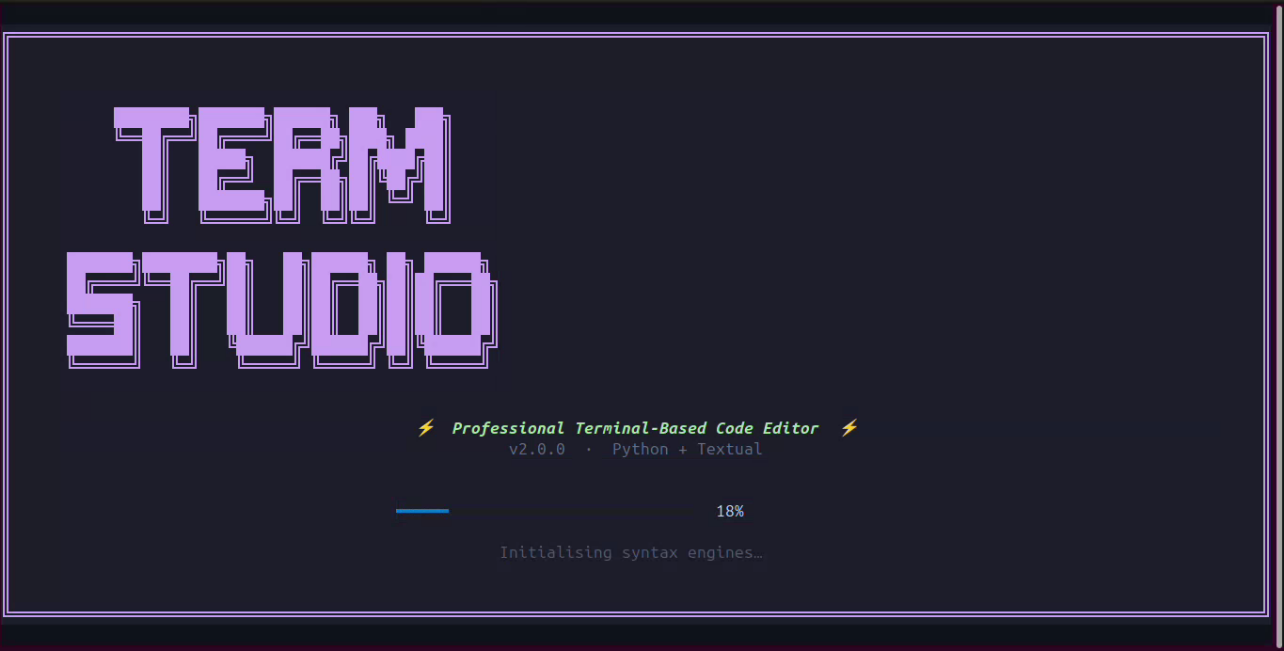
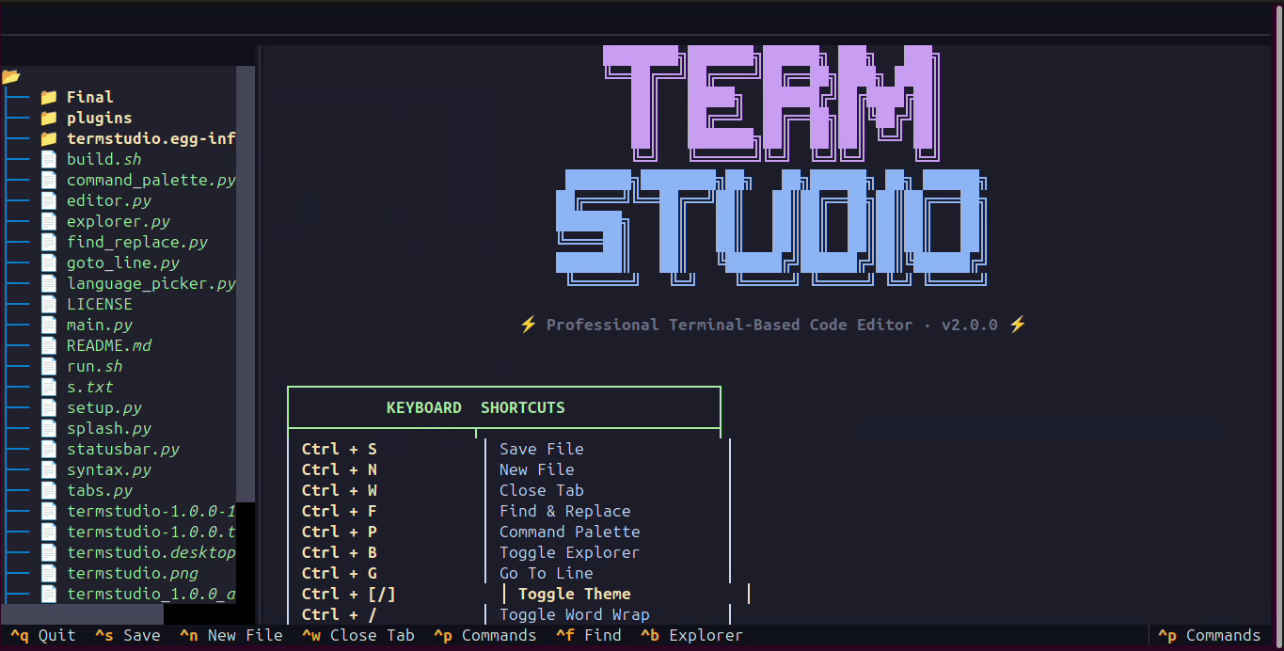
Get TermStudio running on your Linux system in under two minutes.
# Download the .deb package
wget https://termstudio.pages.dev/software/termstudio_1.0.0-1_all.deb

# Install with dpkg
sudo dpkg -i termstudio_1.0.0-1_all.deb

# Fix any missing dependencies
sudo apt-get install -f

# Launch TermStudio
termstudio# Download the .rpm package
wget https://termstudio.pages.dev/software/termstudio-1.0.0-1.noarch.rpm
# Install with rpm (RHEL / CentOS)
sudo rpm -ivh termstudio-1.0.0-1.noarch.rpm
# Or use dnf on Fedora
sudo dnf install termstudio-1.0.0-1.noarch.rpm
# Launch TermStudio
termstudio# Download source tarball
wget https://termstudio.pages.dev/software/termstudio-1.0.0.tar.gz
# Extract
tar -xzf termstudio-1.0.0.tar.gz
cd termstudio-1.0.0
# Build and install
sudo apt install python3 (Debain Based)
sudo dnf install python3 (Red Hat Based)
sudo pacman install python3 (Arch Based)
python3 main.py
# Launch TermStudio
termstudio| Component | Minimum | Recommended |
|---|---|---|
| OS | Linux (kernel 4.x+) | Linux (kernel 5.x+) |
| Architecture | x86_64 | x86_64 / ARM64 |
| RAM | 256 MB | 512 MB+ |
| Disk Space | 50 MB | 200 MB |
| Debian/Ubuntu | 18.04 LTS | 22.04 LTS+ |
| Red Hat/CentOS | RHEL 7 / CentOS 7 | RHEL 9 / Fedora 38+ |
TermStudio was born out of frustration with heavy, resource-hungry IDEs that demand too much from a Linux system. Our goal: a terminal-native development environment that respects the Unix philosophy — do one thing, do it well.
Version 1.0.0 marks the first stable release of TermStudio. The project is fully open source under the MIT License, meaning you can use it, modify it, and redistribute it freely.
TermStudio supports all major Linux distributions. Whether you're on Debian, Ubuntu, Fedora, RHEL, Arch, or any other distro, TermStudio will run.
Download TermStudio v1.0.0 now — free, open source, and built for Linux.
→ Go to Downloads Page